
Know they're safe. Give them space.
GPS tracker for kids.
Geopapa’s GPS tracking app for kids shows their latest location and alerts you when they reach school or home. Set app restrictions and daily limits to make room for life away from the screen.
Free to download · In-app purchases
01 /Family locator
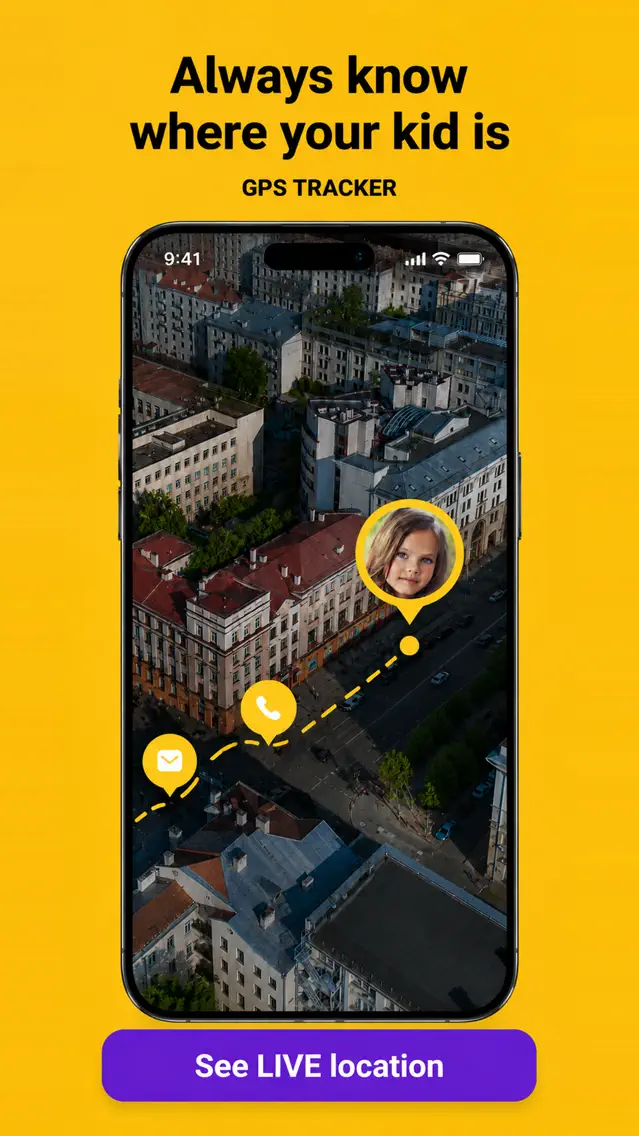
A child location tracker
for everyday journeys.
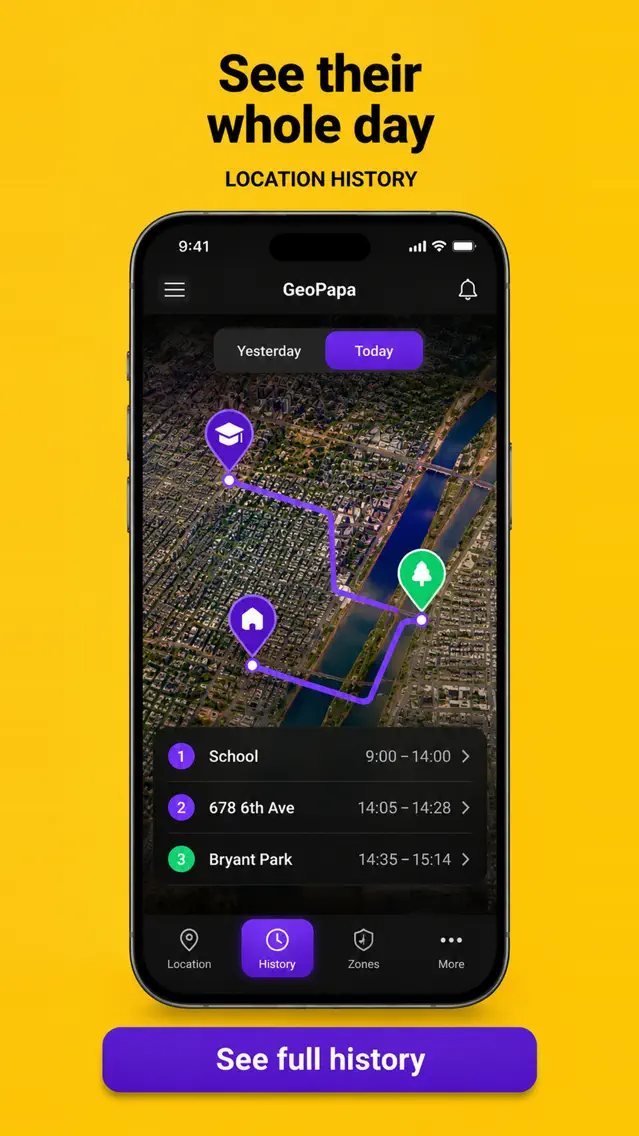
The walk to school. The way to a friend’s. Geopapa’s family locator app shows your child’s latest reported location and recorded route, all in one place.
Explore this featureLocation updates depend on your child’s connection, permissions and phone settings.
02 /Place alerts
They’ve arrived.
You can exhale.
Add the places that matter — school, home, Grandma’s. Get a notification when your child arrives or leaves, without another phone call.
Discover place alerts03 /App blocking
Time for games. Time for everything else.
Agree on when to put games and other apps aside. Use app restrictions, daily allowances and schedules to make that agreement part of your child’s routine.
Choose what to restrict
Restrict selected apps when they get in the way of homework or family time.
Set a daily allowance
Decide how much time is available each day, with controls that depend on the child’s device.
Plan quiet hours
Set restriction periods for lessons or bedtime and choose the days they apply.
Setup differs on Android and iPhone. Check the controls available in your version and set them up together on your child’s phone.
Explore app blockingYour family. Your AI tools.
Your family's day. In your own words.
Get a family update, understand screen time and prepare tasks or game limits in your AI assistant. Geopapa shares information within the access you choose.
How has the children's day been? Show how fresh the data is.
Prepare a weekday task to pack the school bag by 7 pm.
Compare screen time for two complete weeks and show gaps.
You choose the access.
You choose the children and permissions. Review the exact terms and confirm changes in your assistant.
Requires an active paid subscription in your family and a client that supports custom MCP servers. MCP app controls work with supported Android devices.
MORE GROWING UP. LESS CHECKING IN.
There’s a whole world
for them to explore.
Give them room to find their own way. Keep a simple connection that helps you both feel ready.
04 /SOS & connection
For all the little
and not-so-little moments.
When they need you,
they can reach out.
Your child can send an SOS from their app to alert connected parents. Agree on what to do next, together.
How SOS worksSOS needs connectivity. It does not contact emergency services.
A quick hello goes a long way.
Keep everyday conversations in your family chat.
A heads-up before the battery runs down.
Check the reported battery level of your child’s phone.
Make growing up a team effort.
Set tasks and rewards to encourage everyday responsibility.
GET CONNECTED
Two phones. One family connection.
Set up together, then let everyday life happen.
- 01
Install on your phone
Start with Geopapa — the parent app for iPhone and Android.
- 02
Connect your child’s phone
Follow the app’s instructions to install the child companion app and enter your connection code.
- 03
Choose what works for your family
Set permissions together. Add school or home and choose the notifications you need.
BUILT AROUND YOUR FAMILY
Connection starts with a conversation.
Talk about what you’ll share and when you’ll check in. Connect your child’s phone together, explain permissions, and revisit your agreement as they grow.
Your family, your informationSubscription
Understand the offer before subscribing.
Connect both phones and check the features you need first. The subscription screen shows the offers, price and renewal terms available to your account.
Everyday features
Location and route history, family communication, tasks and app controls. Availability depends on the devices and version.
Listening minutes
Live listening uses a separate minute balance. A subscription does not mean unlimited audio.
Price and renewal
See the current price and duration in the app before paying, and check how to manage renewal.
Is Geopapa a GPS tracker device or an app?
Geopapa is a GPS tracking app for kids who have a supported phone. Install the parent app on your phone and the companion app on theirs. You do not need a separate tracking device; your child needs to carry their connected phone.
How can I track my child’s location with Geopapa?
Connect the two apps with the code shown in Geopapa, enable the requested location permissions and open your family map. Check the time of the latest report, then add school or home if you want arrival and departure notifications.
Which app should I download?
Download Geopapa on the parent’s phone. The child’s companion is Geopapa Kids or Funfriend, depending on your region. Geopapa guides you through connecting the two.
Does my child need a phone?
Yes. Install the companion app on your child’s supported phone and connect it with your parent app. Location updates require permissions and an internet connection.
Does Geopapa work on iPhone and Android?
Parent and child apps exist for both platforms. App-control setup differs: on Android you select apps from the parent app; on iPhone you first select them on the child’s phone. Sound around the child needs an Android child phone. Check the controls available in your app version.
Is Geopapa free?
The parent app is free to download and has in-app purchases. Check the offer in your app for trial eligibility, included features, listening limits and renewal terms before subscribing.
Can I locate a phone using only a phone number?
No. You need the companion app on the child’s phone, a connection code and the required permissions. Set this up openly with your child.
Know they're safe. Give them space.
A little less worry.
A lot more room to grow.
Be there for the moments that matter. Let them enjoy the ones in between.
Get Geopapa for ParentsFree to download · In-app purchases